| |
|
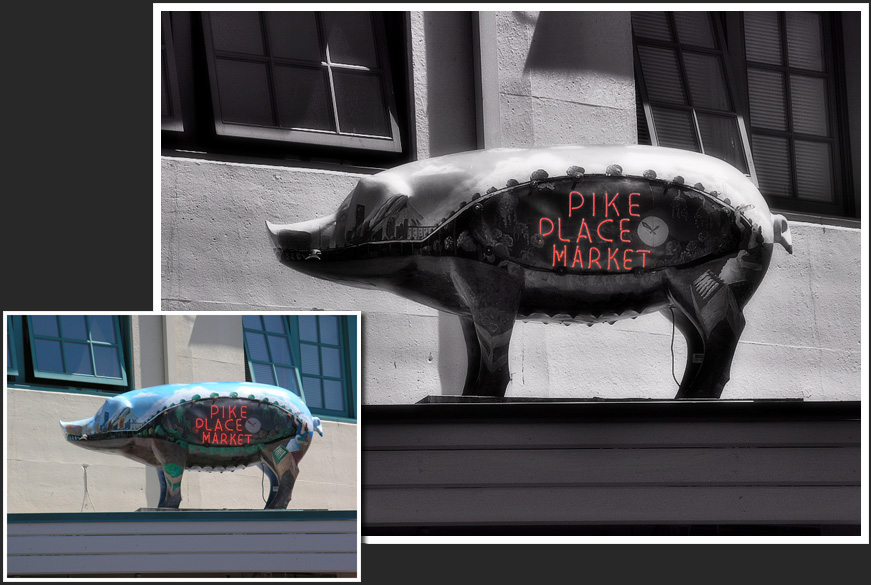
When we first saw this picture, we knew we had to use it. In this case, we turned it black and white (except for the neon) and then used the Dynamic Light function to bring out the contrast in a dramatic manner. Then, we used the Draw mask to create a vignette around the big to bring down the background. After this, we used a soft blur to create a glowing, timeless effect. We kept it pure black and white instead of tinting it to keep the steel-like effect from the reflections on the pig.
The result is a dramatic and moody picture that looks like it was taken in black and white (except for the neon, of course).
Photo Credit:
"'Pike Market' Seattle".
by
Dave Snowden
at Flickr
|
|
|
|
