Sagelight version 3
Special Pay What You
Want Sale (see
below) |
Lightbox 2.0 Free version download
Lightbox 2.0 Free version is a
limited version of Sagelight 2.0.
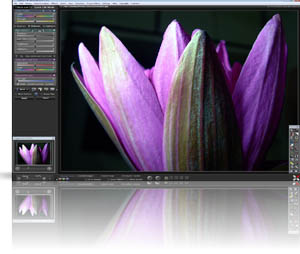
It features the same UI and easy-to-use Quick Edit Mode controls.
If you just want to adjust your picture and make it look great
without all of the extras of Sagelight, then Lightbox 2.0 free
version is a good choice.
Lightbox 2.0 Free version has
earned awards (see the main page), and contains the same core
real-time engine of Sagelight, allowing you to control many
different aspects simultaneously, giving you an intuitive feel for
editing your image.
Lightbox is free, with no strings
attached. It is no longer updated, however. Please see
Sagelight below.
|
|
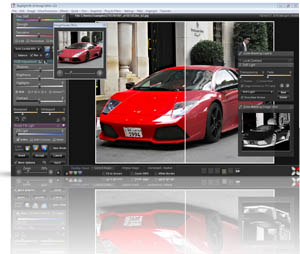
If
you want a high-end, professional graphic editor to
make your pictures look great, but don't want to buy
an expensive program and deal with it's
complexities.. this is the one you're looking for
-- downloadtube.com |
|
Sagelight Image
Editor 3.1 |
Special Pay What You
Want Sale for November!
Want to use ALL of Sagelight
for just a few dollars?
Now is your chance!
For the remainder of October and through November,
you can get Sagelight Version 3.0 (full version) for
any amount.
Or, you can also get a lifetime
version of Sagelight for just $39.95, for a limited
time.
All proceeds will go to development of
an updated free version.
Sagelight is a very
powerful editor, and is two years ahead of Lightbox
Free 2.0.
Pay What You Want:
Click here
Lifetime Version:
Click here
to take advantage of the Lifetime version
Sagelight offers a
brand-new core engine re-design written in MMX & SSE
code, much better RAW support, real-time histogram support,
dynamic masking, Smart Light, and over 70 powerful
functions.
Have
any questions? Please feel free to e-mail
rob@sagelighteditor.com |

|
|

|
"Would you like to Install Lightbox?"
When you first come into Lightbox2.0 free version, it
will ask you if you want to Install it. This is asking
if you want to install it into the directory structure, so
it can keep track of preferences and the recent files list.
Lightbox 2.0 free version is completely portable, and
may run from portable drives (and may be freely given away
-- it has a copy feature in the menu), and there is no need
to have it installed on your system in order to run it.
Answering "Yes"
If
you answer yes, this will install Lightbox Free version in
your directory structure and add icons for easy-launch.
Answering "No"
If you
answer no, then it will just run. It all always ask
the same questions about checking for updates and will also
always bring up the same three initial help windows (without
an installation, it has nowhere to save this data to know
that it's already done this).
After that, it will
work just the same as if it was installed, except that it
won't have a recent file list.
|
 |
Compatibility
Windows 7, Windows
64-bit (any version), Windows XP, Windows Vista, Windows
2k. |
|
|
|
|